

Neural4D Adds A-Pose and T-Pose Controls for AI 3D Character Generation
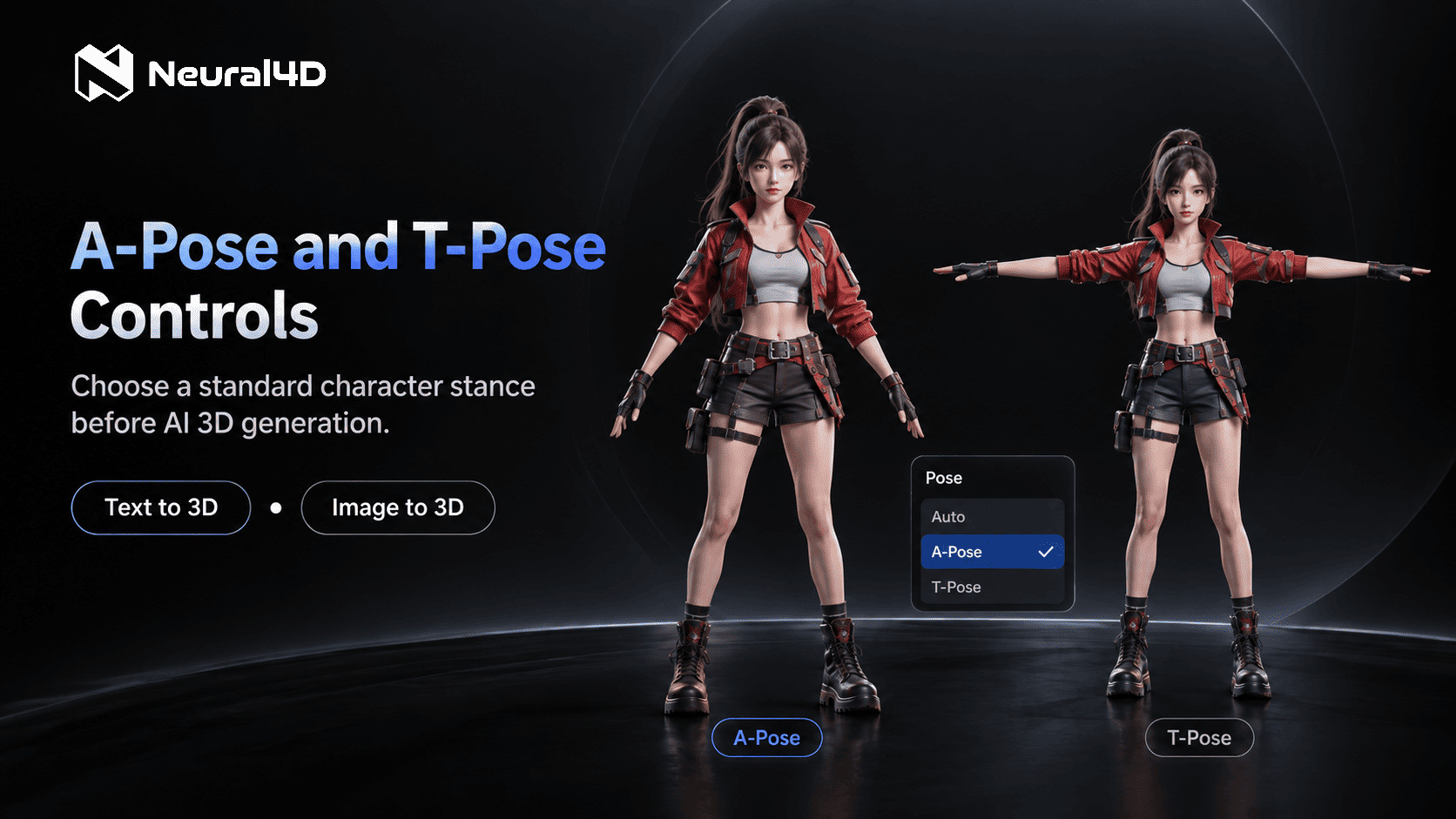
N4D's Pose setting lets subscribers select A-Pose or T-Pose before individual Text to 3D or Image to 3D character generation tasks.
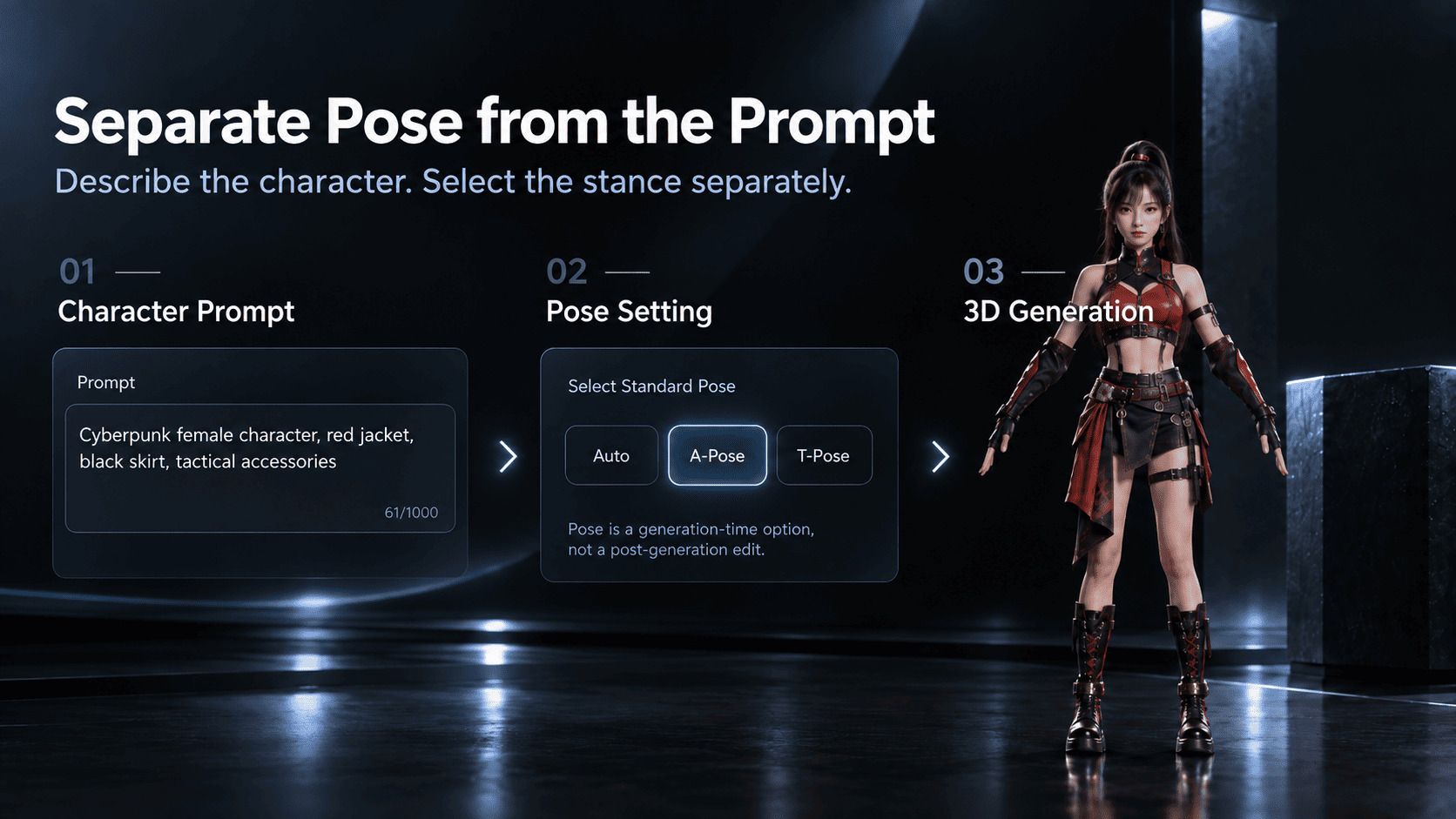
The character prompt defines the visual brief, while a separate Pose setting specifies the starting stance before 3D generation.
A-Pose offers a relaxed arm angle; T-Pose extends the arms horizontally. Both provide a starting stance for later character preparation.
Subscribers can select A-Pose or T-Pose before Text to 3D or Image to 3D generation, creating a consistent starting stance for later rigging and animation.
Set A-Pose or T-Pose Before Generation
The Pose setting provides three options: Auto, A-Pose, and T-Pose. Auto remains the default and does not impose a standard stance. Subscribers who need a more specific starting position can choose A-Pose or T-Pose before submitting an individual Text to 3D or Image to 3D generation task.
Separating pose from the prompt gives each input a clearer job. The prompt can describe the character's appearance, clothing, proportions, and design details, while the Pose setting carries the stance requirement. Creators no longer need to repeatedly write A-Pose or T-Pose instructions into character descriptions or rely on the model to interpret those instructions from prompt wording.
When to Choose A-Pose or T-Pose
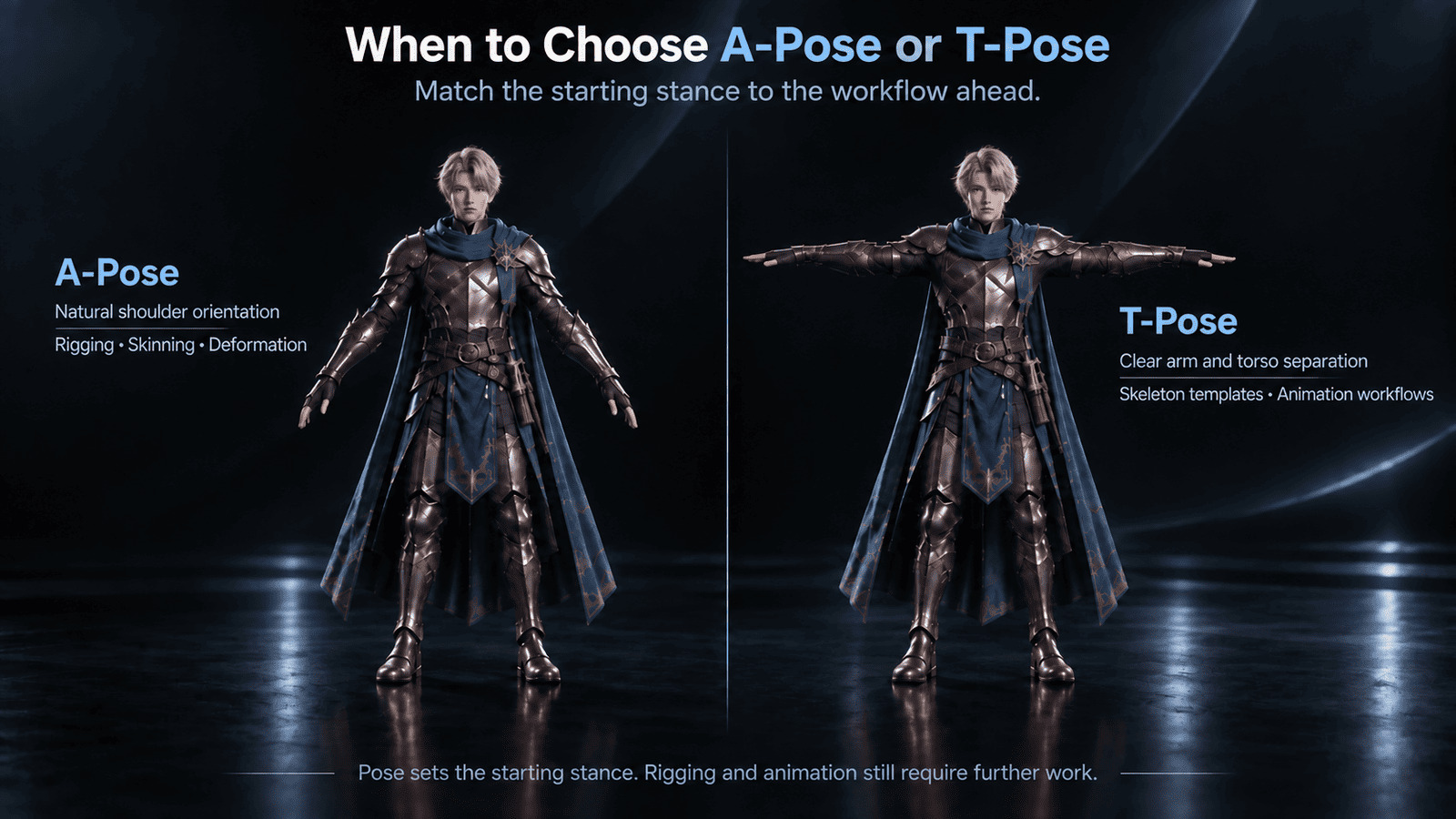
A-Pose: A-Pose places the arms at a downward angle, closer to a relaxed stance. It is suited to workflows that prefer a more natural shoulder orientation as the starting point for rigging, skinning, and deformation work.
T-Pose: T-Pose extends the arms horizontally, creating clear separation between the arms and torso. It is suited to traditional rigging workflows and pipelines that use T-Pose skeleton templates or standardized animation setups, and can make limb and joint alignment easier to review.
Creators can choose the pose that matches the destination workflow and keep that starting stance consistent across character concepts or reference images.
Pose guides the generated stance, but it does not turn the output into a finished animated or rigged character. Creators should still review the model and complete the rigging, skinning, deformation checks, and other preparation required by their project. This distinction keeps the feature focused on generation control while supporting the workflows that follow.
Choose A-Pose or T-Pose in Text to 3D and Image to 3D
Text to 3D: A creator can write a humanoid character concept, choose A-Pose or T-Pose, and generate the model with the visual brief and stance defined as separate inputs. This is useful when exploring multiple character directions while keeping the required starting pose consistent across generation attempts.
Image to 3D: A creator can upload an existing character reference, select A-Pose or T-Pose, and generate the model with the image and stance provided as separate inputs. This keeps the visual reference and starting pose distinct while producing a 3D model for review and further work, rather than a finished animated character.
Creators who do not need a standard pose can leave Auto selected. Pose applies to individual Text to 3D and Image to 3D tasks in model mode. It is not available for Batch Image to 3D or Multi-View to 3D. Generated models can be exported through N4D's supported 3D formats, including OBJ, FBX, GLB, USDZ, STL, and BLEND, for use in subsequent workflows.
"Character pose is a small generation choice that can affect everything that comes next. By separating pose control from the prompt, we want creators to spend less time describing setup requirements and more time defining the character itself."
Feihu Zhang, CEO of Neural4D
Availability
The Pose setting is available now in Text to 3D and Image to 3D at N4D Studio. A-Pose and T-Pose require an active subscription. Pose does not add a separate charge; Credits follow the selected generation mode.
Links
Product: https://www.neural4d.com/studio
Product Hunt: https://www.producthunt.com/products/neural4d
G2: https://www.g2.com/sellers/neural4d
About Neural4D
Neural4D is an AI creative platform whose 3D generation tools turn text descriptions and reference images into 3D models for design, character, and digital asset workflows, powered by proprietary Direct3D technology. The platform also provides independent image and video generation tools, giving developers, designers, and content creators one place to create assets across multiple formats.
Media Contact
Name: Neural4D
Email: support@neural4d.com
Website: https://www.neural4d.com
DreamTech Company
Neural4D
email us here
Visit us on social media:
LinkedIn
Instagram
Facebook
YouTube
TikTok
X
Other
Legal Disclaimer:
EIN Presswire provides this news content "as is" without warranty of any kind. We do not accept any responsibility or liability for the accuracy, content, images, videos, licenses, completeness, legality, or reliability of the information contained in this article. If you have any complaints or copyright issues related to this article, kindly contact the author above.
